AI landscape design for your whole yard
A free AI landscape generator from a photo: upload one picture of your yard and see its layout, paths and planting redrawn in the style you choose. To keep the house, paths or big trees, tick them under “Keep what you love” once the photo is in.
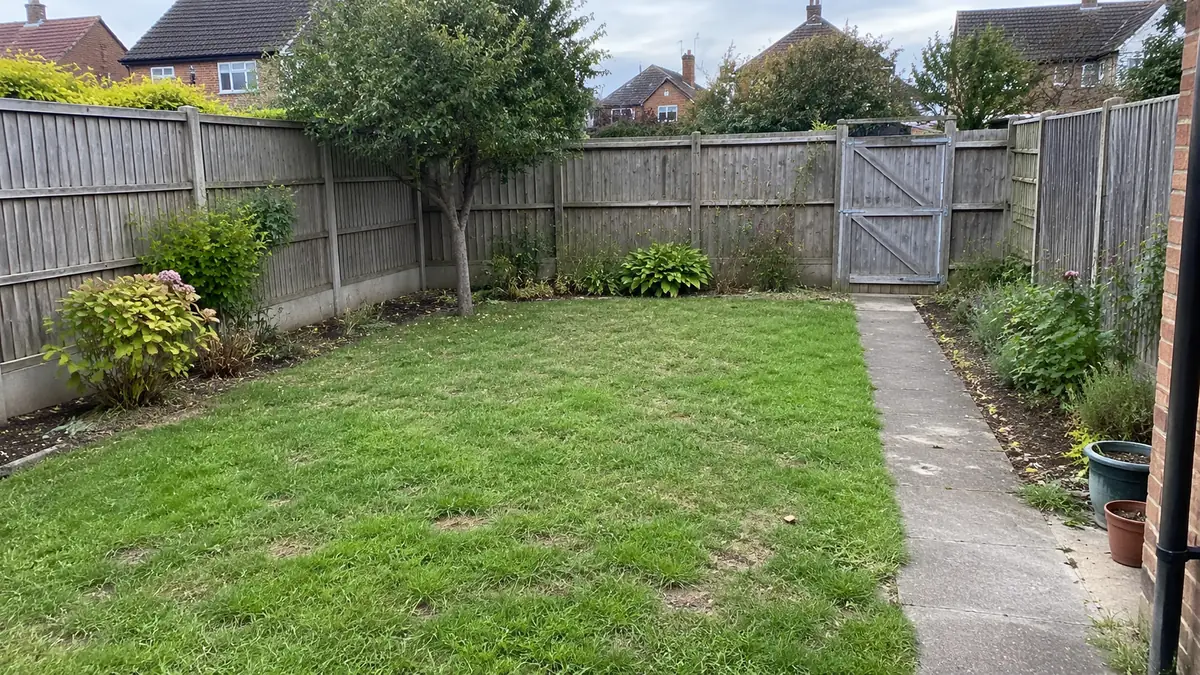
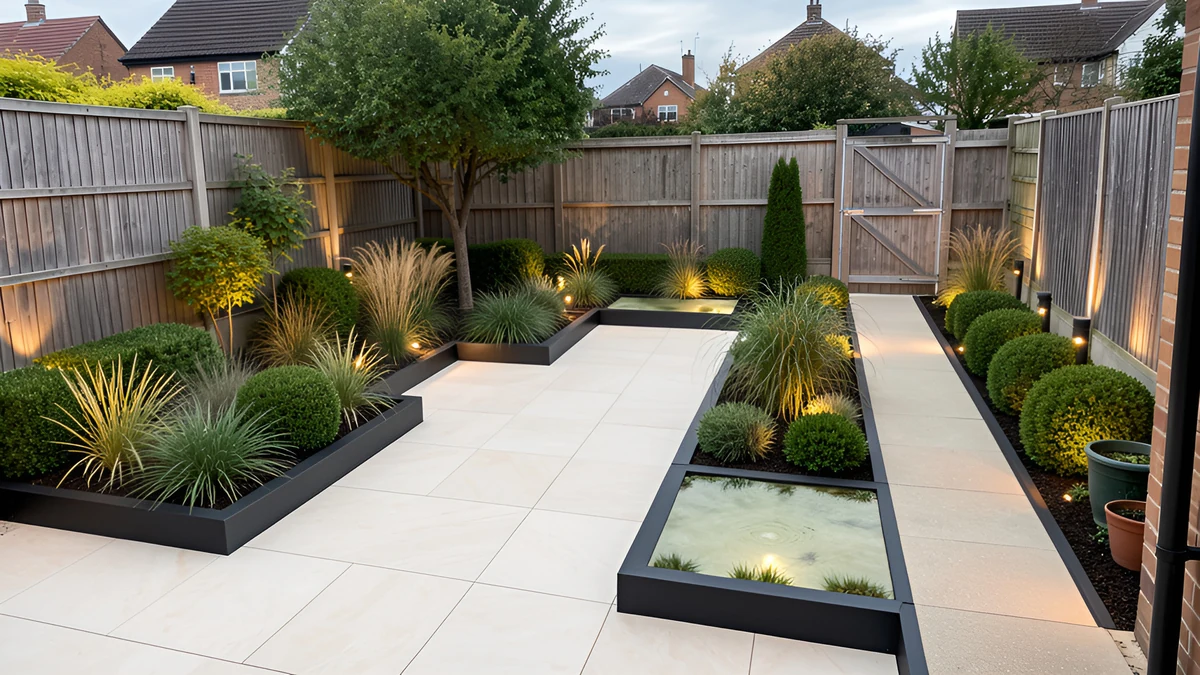
Landscape designs, before and after
Each after is the product's own result on the image beside it. Drag the line to compare.
The five layers of a landscape plan
Landscape designers work through these in order. A design shows the first three on your photo: layout, hard surfaces and planting. Light is a separate edit, and slopes stay as the photo shows them.
- Layout and zonesDecide where you sit, play, grow food and keep the bins before choosing a single plant. Try a second style to see another arrangement.
- Paths, paving and edgesHard surfaces set the bones: a path along the way you already walk, a terrace by the door, clean edges between lawn and beds.
- Planting in layersTrees and tall shrubs for structure, mid-height shrubs for screening, perennials and ground cover in front. Layers keep a yard interesting all year.
- Light for the eveningPath lights for safety, a few uplit trees for depth and warm light where you sit. The design itself is a daytime picture; to see the yard after dark, run an edit on it (5 credits). Edits need a free account.
- Slopes and waterThe AI works with the levels it sees and redesigns the planting and paving on them. Terraces or steps are something to describe in your own words; it does not survey grades or plan drainage.
What a picture can settle, and what it can't
Use the design to agree on the idea. The ground itself still needs checking.
A design settles
- Which style and layout you like, before you spend anything
- How much lawn, paving and planting feels right
- Where a path, a terrace or a new bed could go
Still needs a professional
- Grading, drainage, retaining walls and irrigation
- Pipes and cables underground: have them located before you dig
- Whether a plant survives your winters and your soil
From picture to planting plan
When a design feels right, plan its beds: the planting planner takes a bed's size and each plant's spread and shows where the plants go and how many to buy. Choose the plants themselves with a local nursery, for your climate and soil.
Take a photo of the whole yard
One good photo matters more than the style you pick.
Get the boundaries in
Stand in a corner or at an upstairs window so both fences, or the hedge and the house, are in the frame.
Shoot in daylight
Bright overcast light shows planting best. Mow the lawn and move the bins first if you can.
One area per photo
If the yard wraps around the house, design each side from its own photo and compare them together.