AI Room Decorator Free
Upload a photo of your room and use AI to preview the decorating layer: furniture, rugs, lighting, wall art, plants, curtains, bedding, shelves, and color accents. It is built for the moment when your room works, but still feels unfinished.
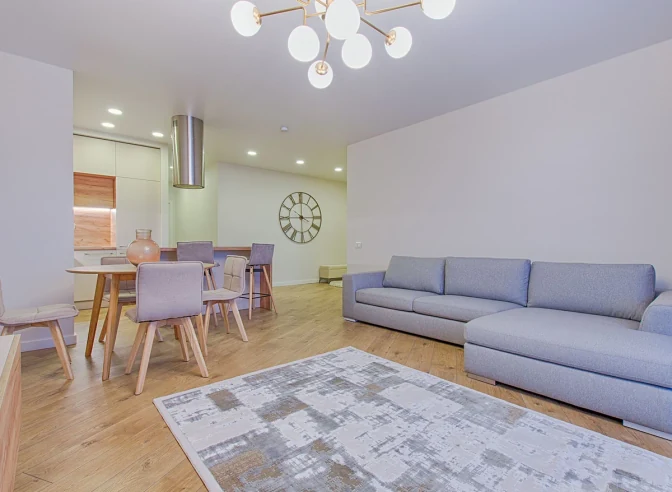
Use the custom brief below when you want the AI to decorate rather than remodel. Ask it to decorate my room with warmer lighting, a calmer bedroom palette, a renter-friendly apartment refresh, or a finished look that keeps your existing sofa and layout.
How to decorate a room with AI
Upload a room photo
Use a clear photo that shows the main furniture, floor, walls, windows, and lighting.
Choose a decorating direction
Pick a style or use the custom brief to ask for specific furniture, rug, lighting, art, and color changes.
Compare ideas before buying
Generate several options and use them as a visual shopping and planning guide before purchasing decor.
Decorating workflow
What to use the AI room decorator for
- Furniture and layoutPreview a different sofa, bed, dining setup, reading chair, or storage arrangement while keeping the room's real proportions.
- Rugs, lighting, and artTest the decor pieces that usually make a room feel complete: rug scale, table lamps, pendants, wall art, mirrors, plants, and shelves.
- Color accentsTry warmer textiles, calmer neutrals, bolder accent colors, or a full style direction before buying paint, pillows, curtains, or decor.
How to get a useful decorating result
Use a photo taken from chest height so the AI can read the floor, ceiling, windows, and main furniture.
Keep the existing layout if it already works, or mention one problem you want fixed: too empty, too dark, not enough storage, or no focal point.
Choose a style such as Japandi, modern boho, farmhouse, dark academia, coastal, or write your own custom decorating brief.
Compare at least three generations before buying decor, because small changes in rug size, lighting, and wall art can shift the whole room.